Company Email Without Moving Your Website — and the Price per Mailbox
You can use company email such as info@example.com while keeping your website on its current platform. Set up the email records while preserving the website rec…
0Like
 26Views
A domain that does not open after setup does not always need more waiting. First confirm the records are correct and were added in the right place, then check propagation and HTTPS.
Open the account where you registered your domain, then its Nameservers settings. These identify the provider that manages your website and email records. If IT PLUS manages those records, open your account → Domains → your domain → DNS management. If another provider manages them, add the records there. If you are unsure, ask support to check your domain before changing anything.
Compare the name, type and value of each record with the current values shown by your website platform. Adding records at a provider that does not manage the domain will not change the website.
Keep existing email records. Do not delete all records or replace nameservers just to connect a website. Copy values from your own project; do not reuse a server address from an article or another customer’s project.
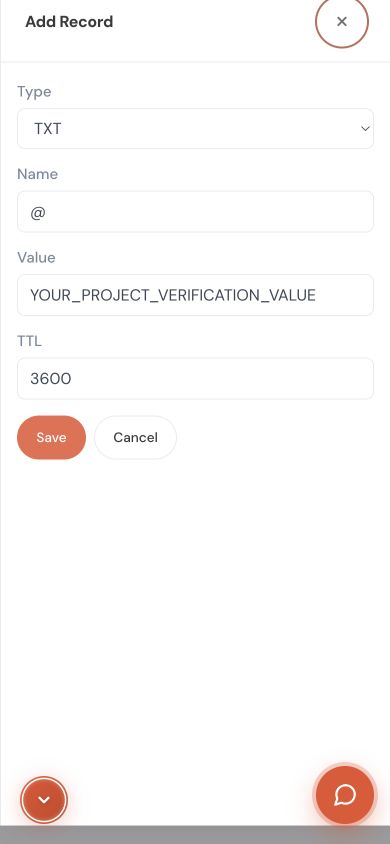
Wait when the required values are correct at the responsible provider and some networks still return old answers. Changes may appear within minutes or hours, sometimes 24–48 hours or longer. Missing or incorrect records need to be fixed first.
This is a separate check from reaching the website server. Review the HTTPS certificate status in the website platform. Make sure it covers the address you are opening, including the main domain or www as needed. Do not bypass the warning or enter credentials on an unsafe page.
Share your domain, platform, error screenshot, last edit time, and whether the website, email or both are affected. Support can then determine whether a setting needs correction or a change needs time to appear.
For the administrator: query the authoritative nameservers, then compare public resolvers. Check conflicting A, AAAA and CNAME records and the TTL. Certificate failures may require reviewing verification, CAA or platform settings. Check mail MX and TXT records separately.
Written and reviewed by IT PLUS — September 2026.
Stuck on a step? Share your domain name and a screenshot of the problem so we can help.
No comments yet. Be the first to comment!
If your site already runs on a platform such as Lovable or V...
You can use company email such as info@example.com while kee...

If you built your site and published it for free on GitHub P...

A domain is your store’s address, such as example.com. If a ...
Explore more articles that might interest you
Leave a Comment